How I saved organizers from rebuilding an app for every event
Zuddl started with one attendee app per in-person event. Customers running another event had to prepare new app assets, submit another store package and wait for approval again. I designed a way to reuse one app while keeping each event's content, branding and access separate.
Problem
Giving each event its own app worked for the first release. The app had one event's branding and content, so organizers could understand the setup without much explanation.
The work repeated when customers ran their next event. They needed another set of assets, another store submission and another approval. A successful first event did not make the next app easier to launch.
The goal was to let customers reuse the app work they had already done, with control over which events it carried and who could see them.
Root cause
I followed one app request from the organizer dashboard through event setup, asset collection, store submission, approval and mobile login. Two parts of the flow caused the repeat work:
- App setup belonged to an event, so organizers could not reuse it for another event.
- Each new event required a separate store package and approval.
The app needed to belong to the organization. Each event still needed to own its content and access rules.
Decision
I considered two options:
-
Put every event in one app automatically
I considered this because organizers were already repeating too much app setup. Automatically adding their events to one app would let them reuse it with fewer setup steps.
But organizers would lose control over which programs or brands belonged together. The app could also contain events that were irrelevant to an attendee.
-
Reuse an app and select its events
I considered this because a reusable app could serve different programs and brands. Organizers needed to choose which events belonged together, while each event kept its own content and access rules.
This would avoid repeating the store process for each event and keep organizers in control. It needed more product work and an extra selection step during setup.
I chose the second option because the extra selection step let customers reuse the store work and still decide which events the app carried.
Design
1. Manage apps at the organization level
I made Event apps a top-level item in the organizer dashboard. Each row showed the app icon, linked event count, status and store links. Organizers could open the app from the row or expand the event count to see what it carried.That gave reusable apps a place outside individual event setup.
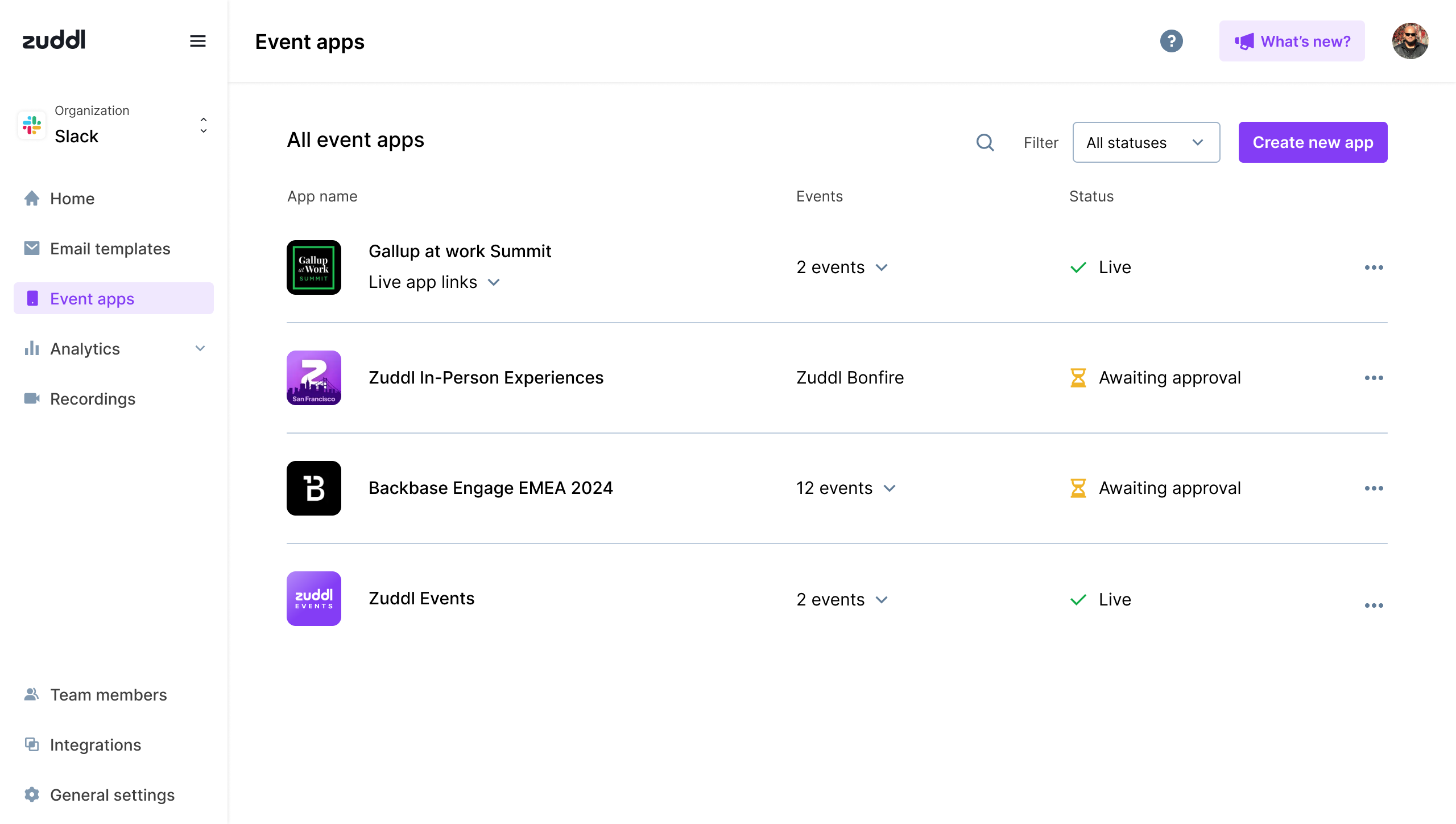
Organizers could see every app and its progress in one place.
2. Create the app once, then finish its setup
I kept creation short and moved the rest of the work into Branding, Events and Assets tabs. Organizers could create the app first, then prepare its shared identity and store details.Shared theme, colors, logo and font belonged to the app. Event branding stayed separate, so changing one event would not change another. A mobile preview let organizers check the result before store submission.
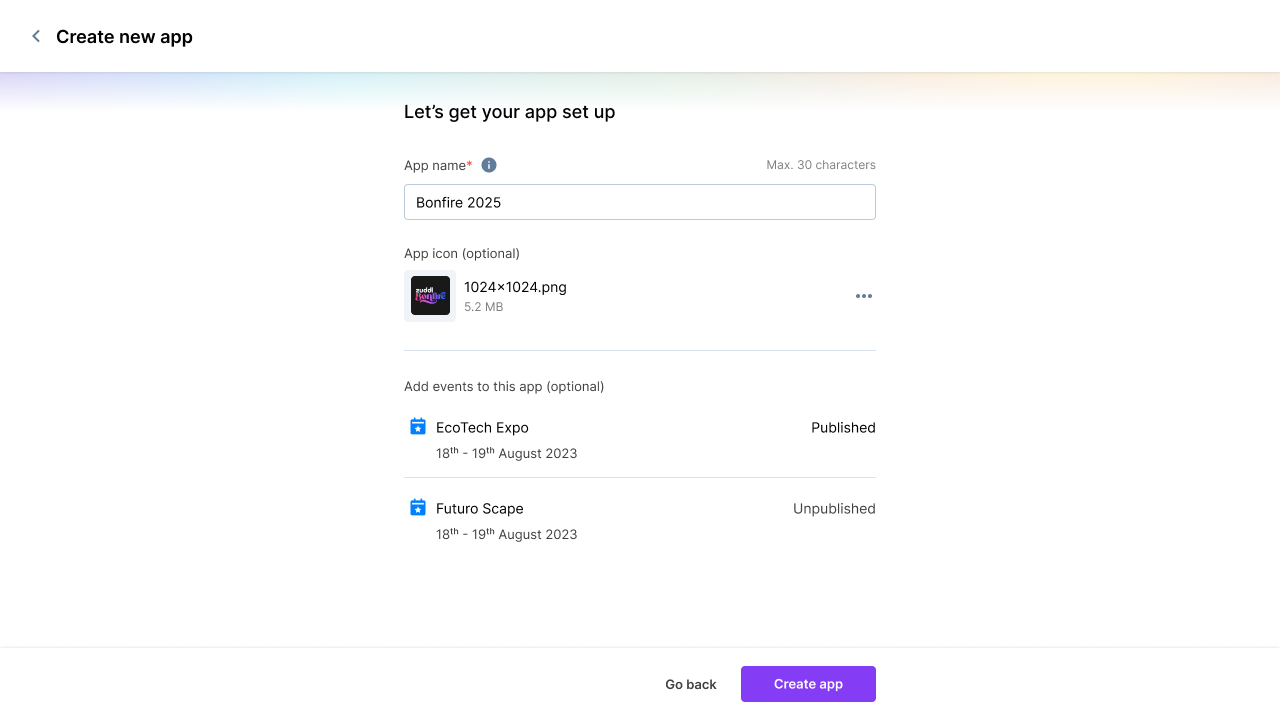
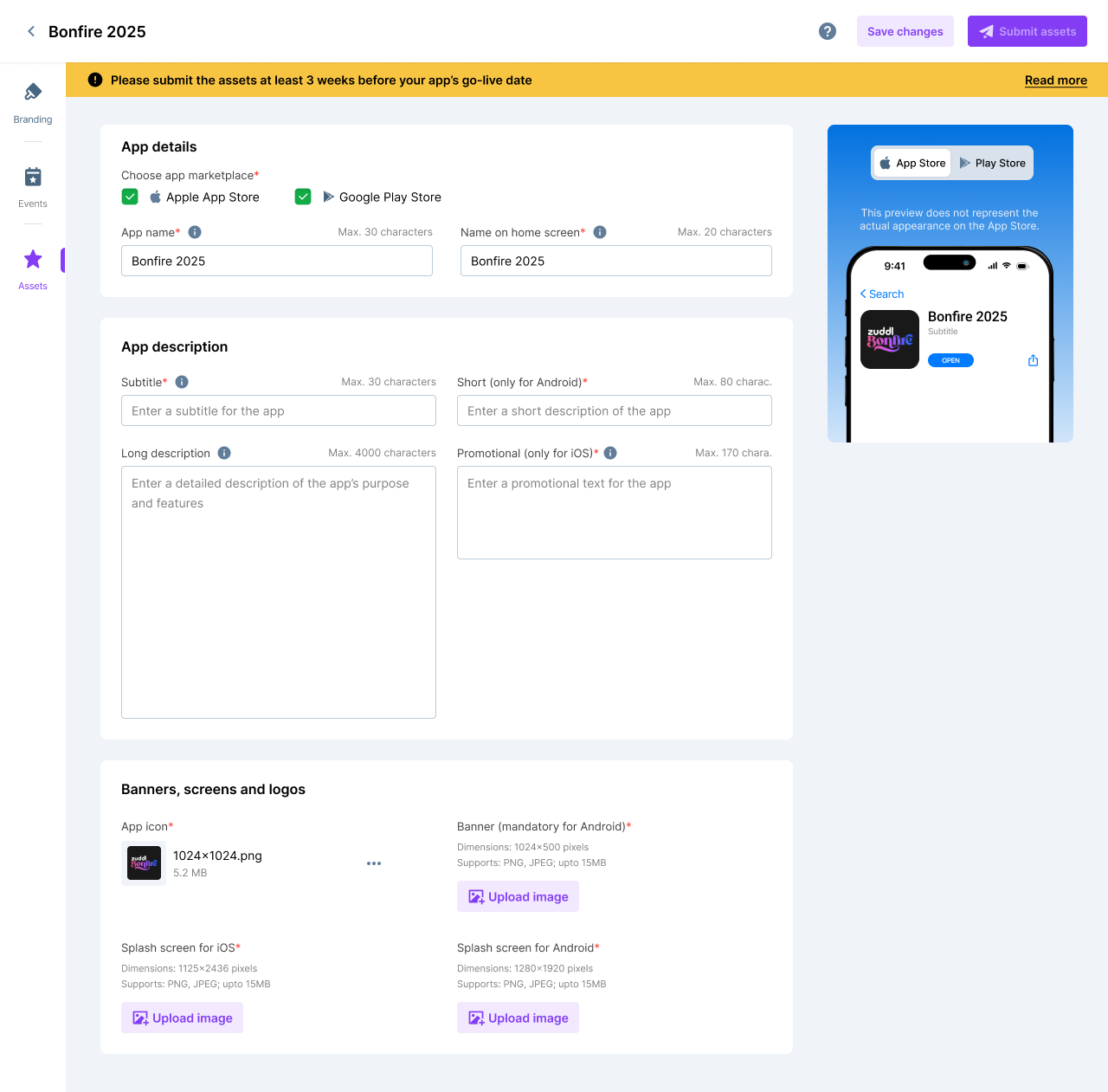
Create the app first. Complete the store work when it is ready.
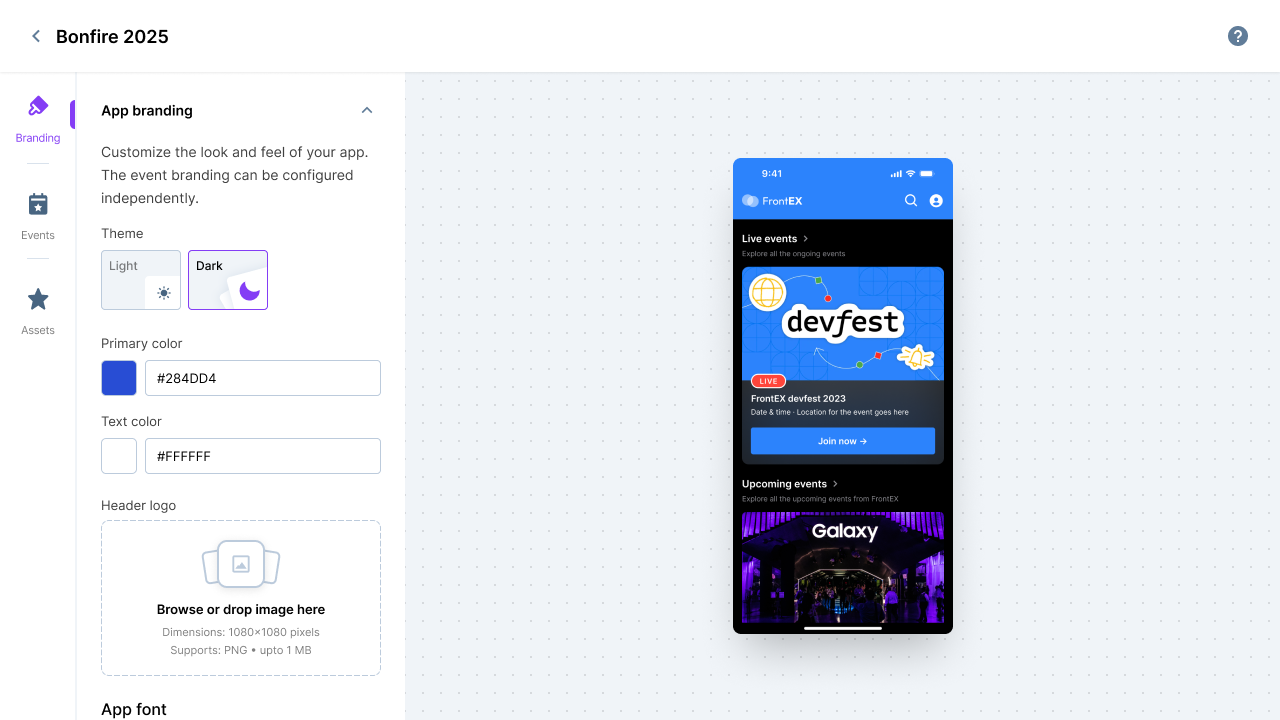
Shared where it helps, independent where it matters.
3. Connect events without creating another app
Organizers chose events in the app workspace. In the event portal, they could also check which apps included each event. The link worked both ways.An event could be added to more than one app. Adding it set which apps could show it; publishing set when attendees could see it. I left publishing off by default so organizers could preview the event before making it live.
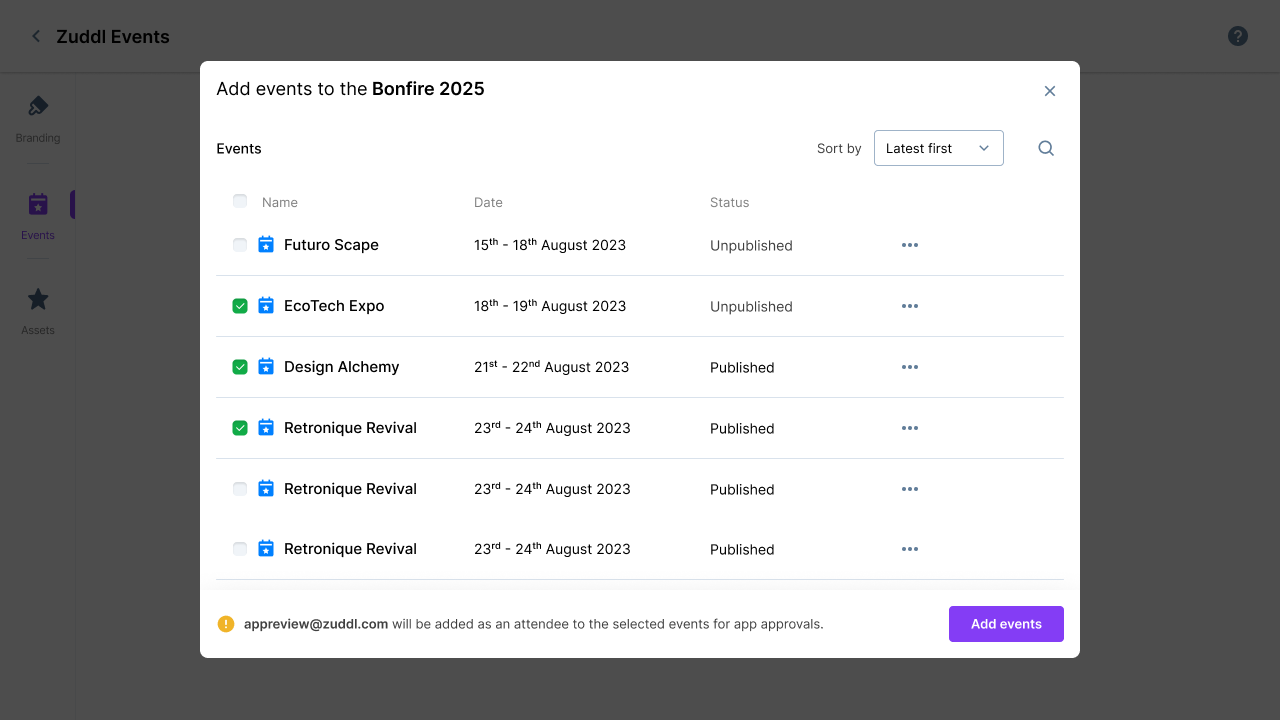
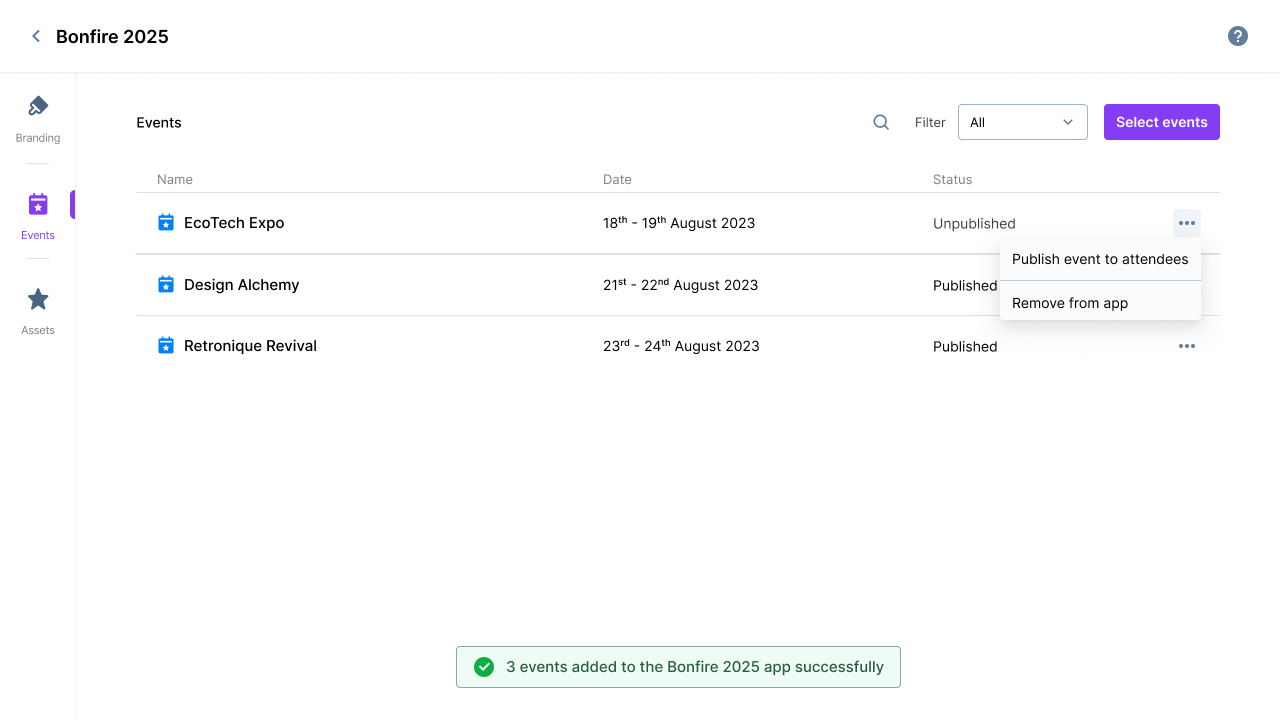
Two entry points changed the same app and event relationship.
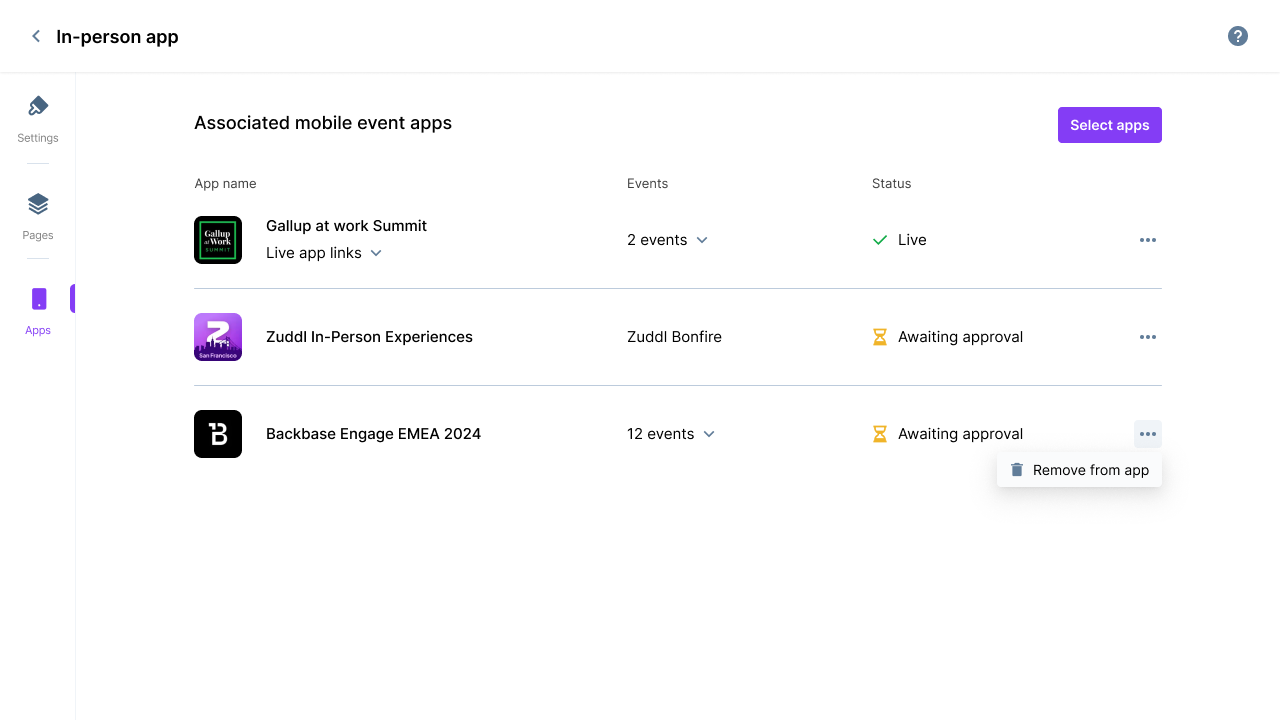
Organizers could remove an event from an app later if their plans changed.
4. Choose a default app for mobile-only pages
When an event belonged to more than one app, organizers chose which app attendees should download to access its mobile-only pages in the web app. I added a Default mobile app setting for that choice.Publishing stayed separate. The publish setting controlled whether the event was visible to attendees, and organizers could preview it before making it live.
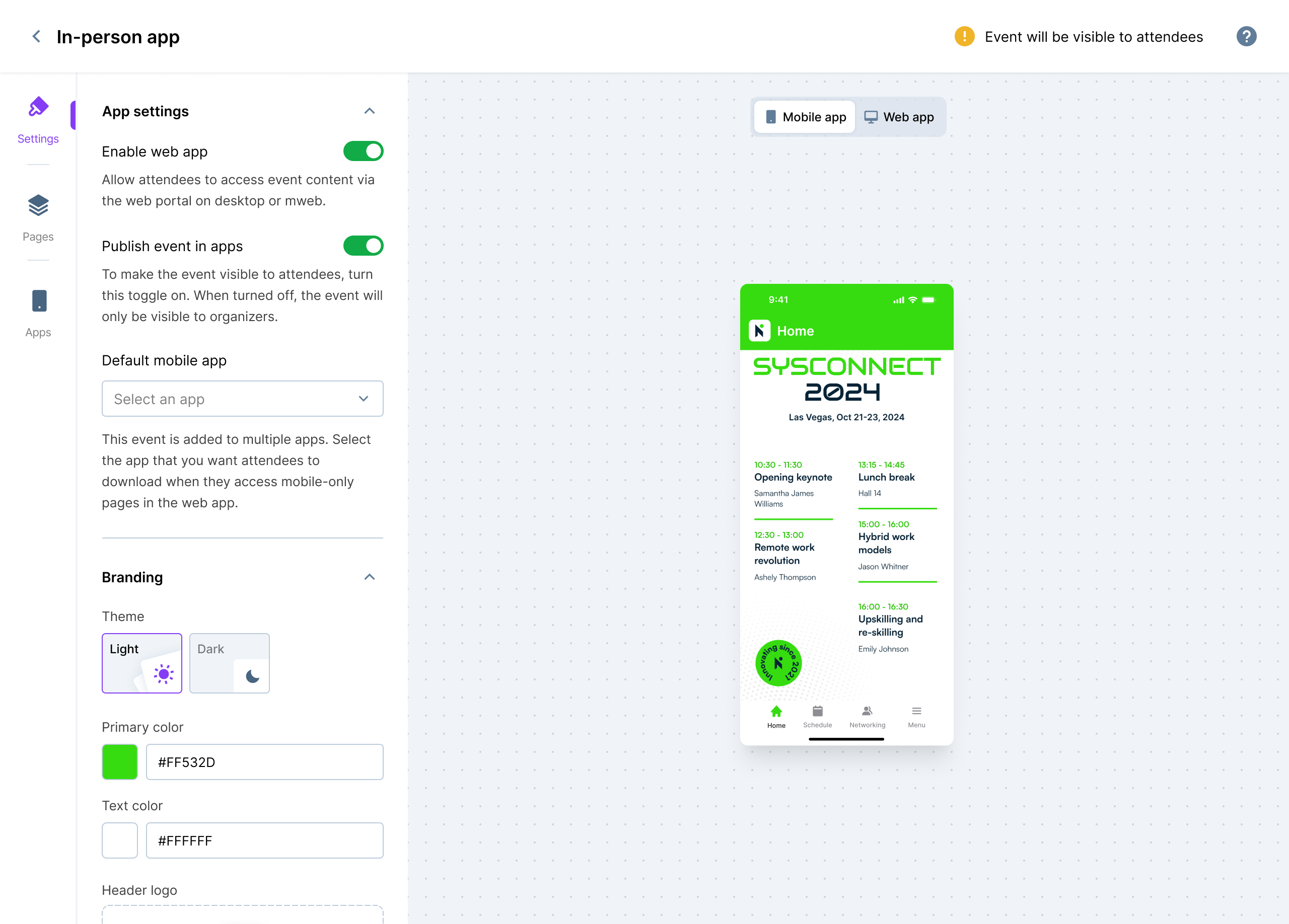
The default app set which app attendees should download for mobile-only pages; publishing controlled event visibility.
Trade-offs
Choosing which events belonged in each app took an extra step. In return, organizers could keep programs or brands separate. Automatically adding every event would save setup time, but take that choice away.
I kept app membership, publishing and attendee access separate. Adding an event to an app didn't make it visible to everyone; organizers still chose when to publish it and who could access it.
Outcome
Organizers could create one app, prepare its store assets once and add events to it. Attendees could use the same install across events they had access to.
The wider app offering has 74 branded apps across 49 customer organizations, with 41 live in stores.
Source: Zuddl product analytics, as reported in the existing multi-event apps case study.