How I used a simple game to boost event participation
At in-person and hybrid events, showing up didn't always mean taking part. I designed Zuddl's gamification around tasks attendees could complete, points they could earn and submissions organizers could review.
Problem
A full venue didn't mean attendees were taking part. Organizers needed a reason for attendees to visit a booth or complete an activity, plus a way to check participation afterward.
The feature had to work in the middle of a live event. Attendees needed clear steps, and small organizer teams had to run the game alongside everything else.
One customer needed the feature for an event a month later. I had to ship a useful first version by then and leave room for more task types.
Root cause
Attendance showed who arrived, not what they did once inside.
Points needed a clear basis. The product had to link each action to a task, capture evidence of completion and show the result to attendees and organizers.
I made tasks easy to start and tied rewards to actions organizers could verify.
Decision
I had two options:
-
Build every action in the initial requirements.
This would cover all planned task types at launch, but put the customer's event date at risk. The team had limited time to build and test every flow.
-
Build a reusable system and launch two actions.
I proposed starting with QR scans and photo submissions. Both were easy to explain at an event, and organizers could review the evidence. We could add more actions to the same game setup later.
That meant fewer task types at launch and more setup for organizers. I chose it to meet the date and leave room for other task types.
Design
1. Give organizers one place to set up the game
Organizers created a game, set its active state and time window, then added tasks with points and completion rules. I put game status and submissions near setup so teams could manage the game before and during the event.The leaderboard had a separate view. Setting up the game and checking player standings were different jobs.
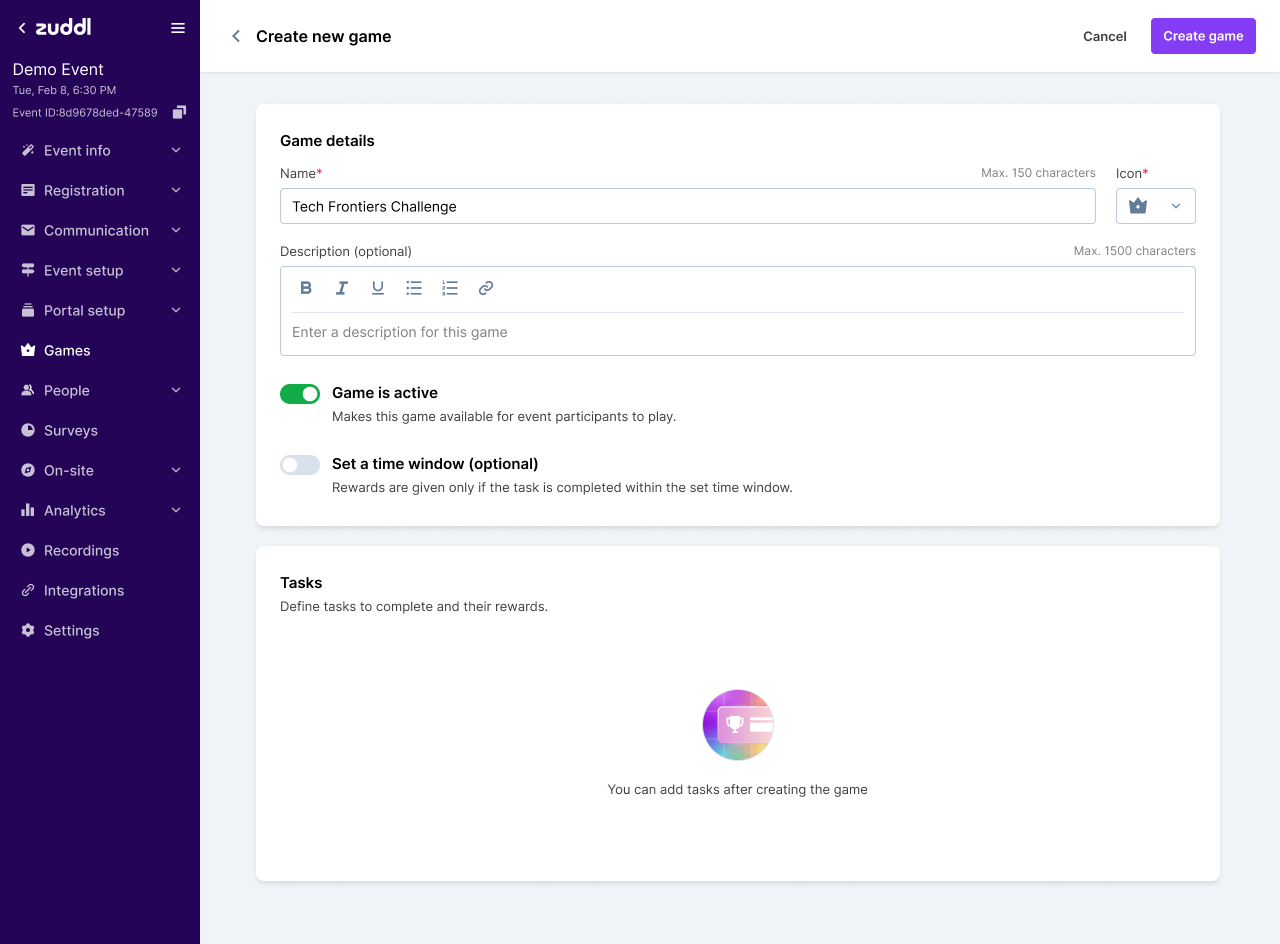
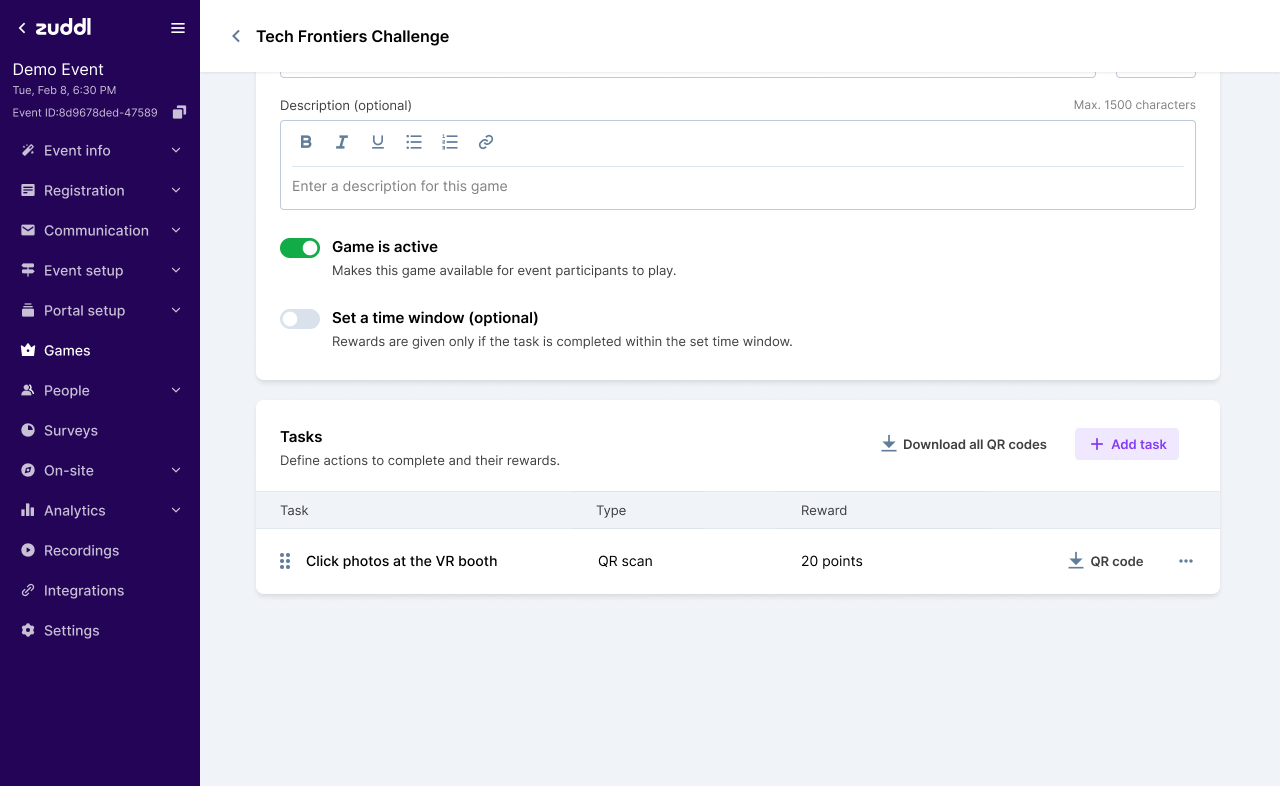
Organizers could create a game, then manage its tasks from the same setup page.
2. Ask attendees for one clear action
QR tasks opened a scanner. Photo tasks showed where to upload the required photos. Before starting, attendees could see the action, requirements and points.Task details put the description, points and progress together. Success, error and incomplete states told attendees whether the task counted or needed another try.
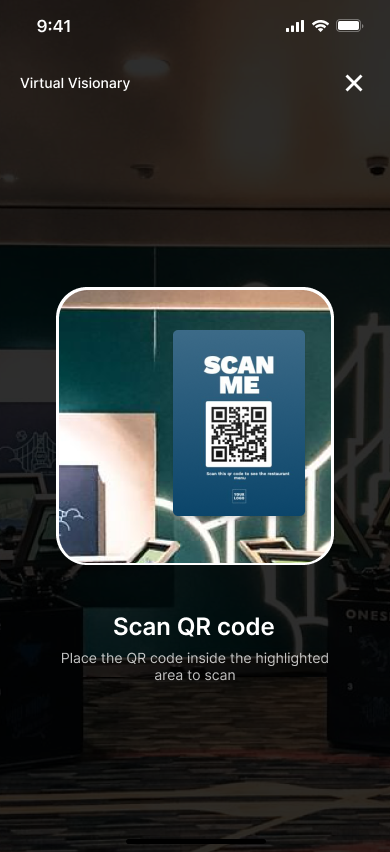
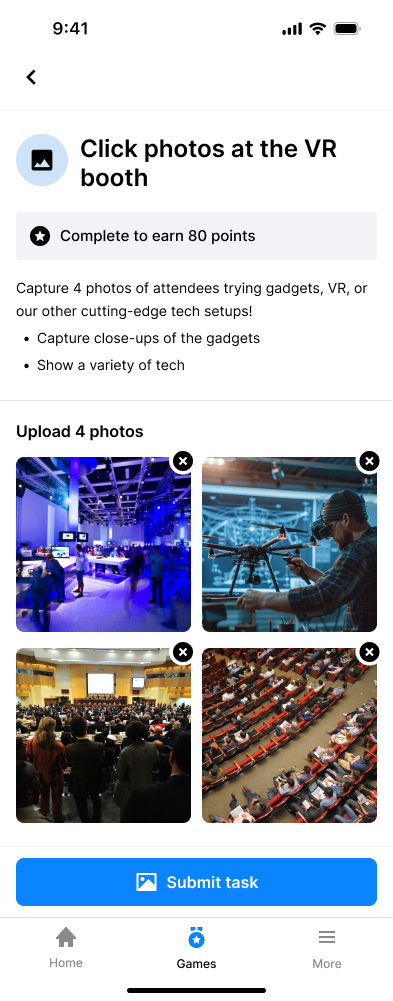
Attendees could scan a QR code or upload photos to complete a task.
3. Keep the next task and earned progress visible
I kept unfinished tasks visible and completed tasks in the attendee's record, so they could see what to do next and what they'd already earned.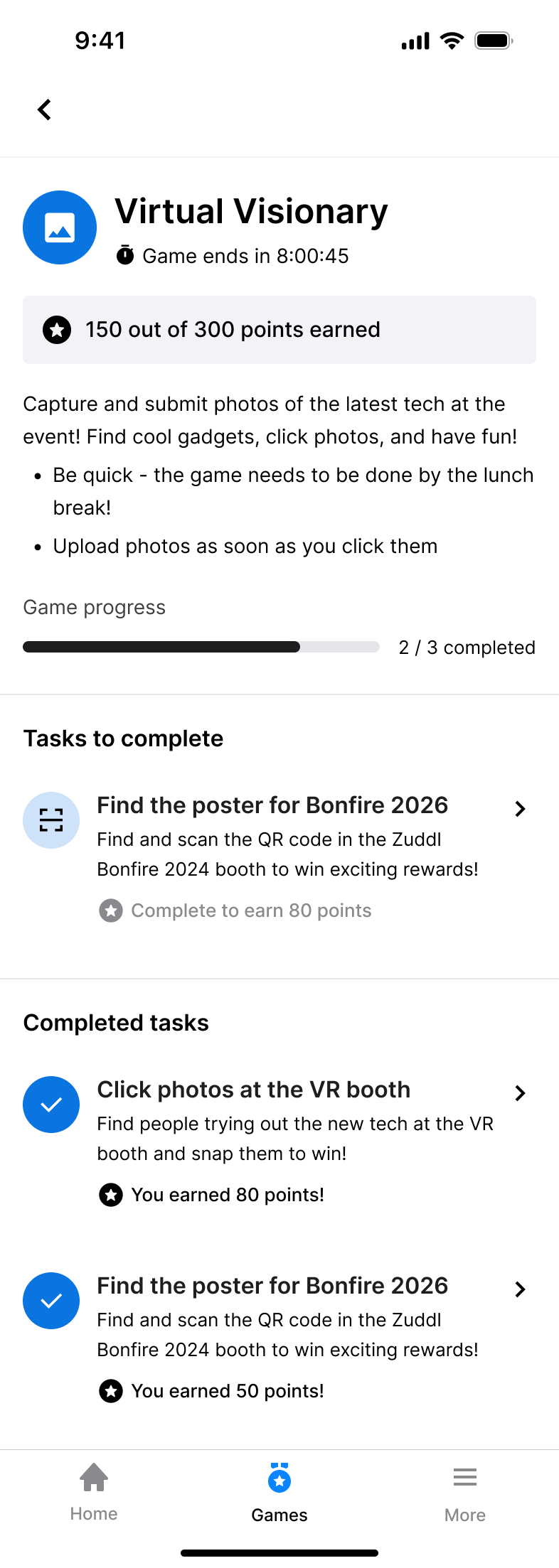
Attendees could see unfinished tasks and earned progress in one place.
4. Let organizers review and correct scores
Organizers could review submissions and timestamps. For photo tasks, they could compare uploads with the task requirements.Deductions and bonuses included a note. Teams could correct scores during the event and keep a record of each change.
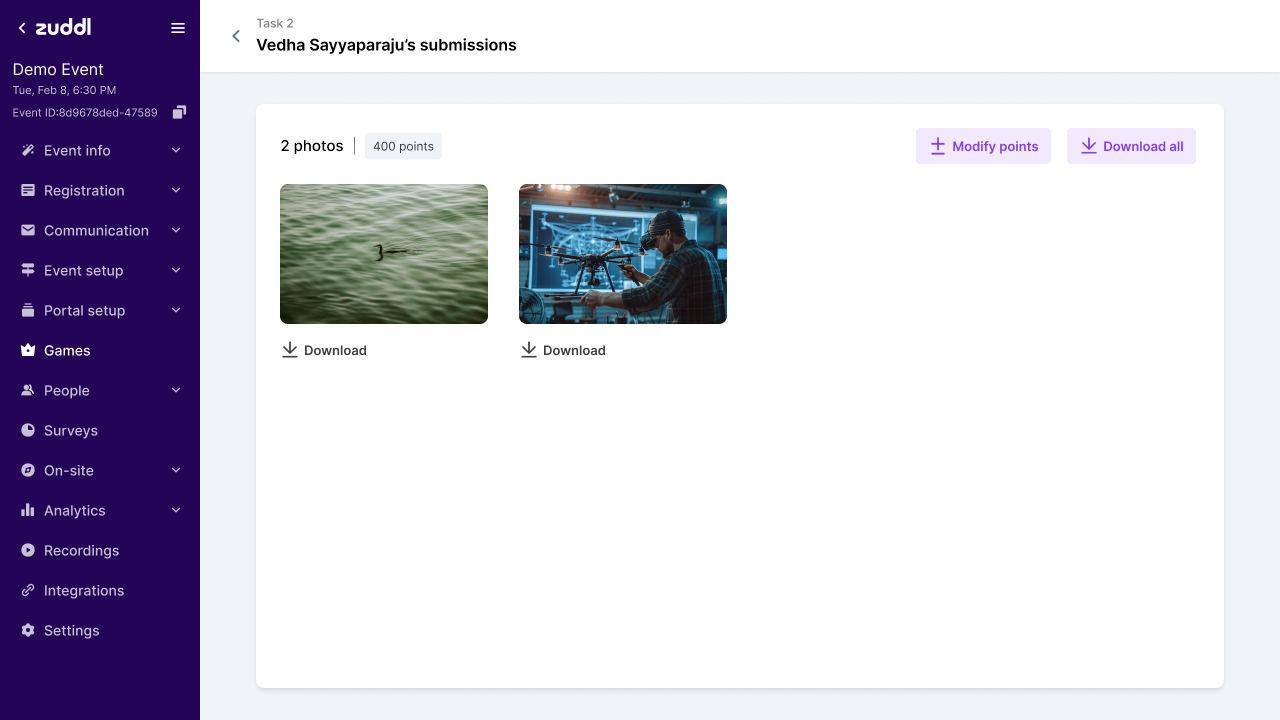
Organizers could choose a task, inspect submitted photos and adjust points.
Trade-offs
Limit the first release to QR and photo tasks
Some activities couldn't earn points at launch. I focused first on task completion, points and submission review before adding more actions.
Start with points
I left badges out. They would add another reward type before we knew how attendees used points.
Keep the first version online
Offline support would add sync and conflict states for submissions and scores. I left it out, so attendees needed a connection to take part.
Use clear flows before adding visual polish
There was no design system, and the deadline left little development time. I focused on labels, states and next steps, leaving visual polish for after launch.
Outcome
Organizers could set up games with QR and photo tasks, review submissions and track points. Attendees could complete tasks and follow their progress during the event.
The feature gave Zuddl a repeatable base for future in-person engagement instead of a one-off event feature.
Source: Zuddl product analytics.